When you make a website, you should care about more than just how it looks and what it says.
You also need to keep it safe and make it easy to find on Google. These two things are linked; if you ignore one, your site could get hacked and lose its Google ranking.
As someone who builds and optimizes websites for clients and enjoys this work, I’ve witnessed firsthand how poor security can adversely affect a website’s SEO performance.
Alternatively, if you want to enhance your site speed, consider learning about website speed optimization tips.
Let’s explore everything you need to know about the relationship between website security and SEO, as well as the steps you can take to protect your site and enhance your rankings.
What is Website Security and Why Does It Matter for SEO?
Website security encompasses all the measures you take to safeguard your site from threats such as malware, hackers, phishing attacks, and spam.
A secure website not only protects your data but also safeguards your users’ data. Additionally, security has become a recognized factor in SEO rankings.
Search engines like Google evaluate the cybersecurity of websites when determining their rankings. If your site is compromised, even for a brief period, it can significantly harm your SEO.
Common Website Security Threats
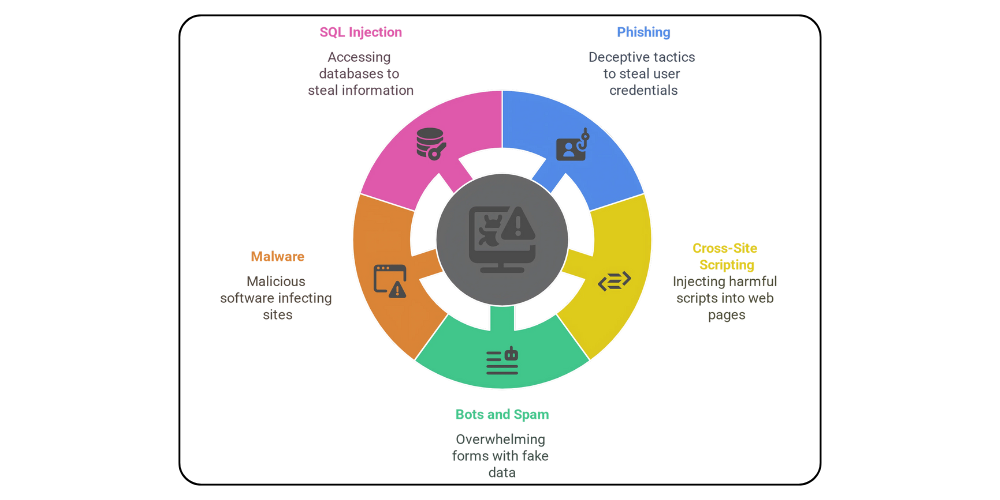
Recognizing common security threats is the first step to defending your site. Here are a few you should be aware of:
- Phishing: Phishing refers to fraudulent login pages or messages designed to deceive users into revealing their passwords or credit card information.
- Cross-Site Scripting (XSS): It occurs when harmful scripts are injected into your web pages.
- Bots and Spam: Bots can overwhelm your forms with fake data, degrade your website, and negatively impact the user experience.
- Malware: Malware is bad software that can get into your website, steal information, or damage it. It can also make your site slow and cause Google to lower your ranking.
- SQL injection: It is a type of attack that allows hackers to access your database and steal sensitive information.
These dangers can harm your website and also make it rank lower on search engines. This is why every website owner should understand how website security and SEO are connected.

Website Security Best Practices That Support SEO
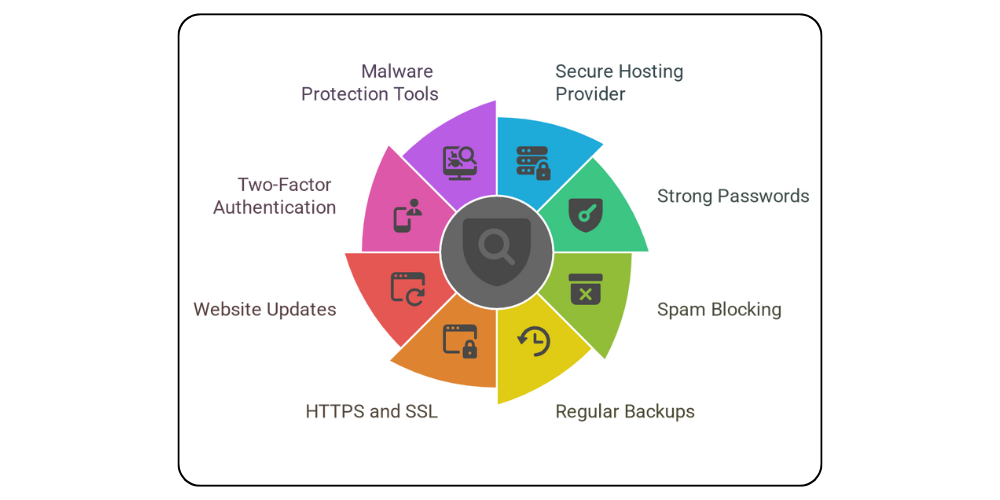
There are many ways to make your website safer and improve its SEO at the same time. Here are the best tips that help with both security and SEO.
1. Choose a Secure Web Hosting Provider
Your web host affects how well and how safely your website works. A good hosting company should give you these features:
- Daily automatic backups
- DDoS protection
- Malware scanning
- Spam prevention tools
- Frequent server updates
These features keep your website safe, make it load fast, and help it stay online. Both are important for getting a better SEO ranking.
2. Use Strong Passwords and Limit Access
Strong passwords are an easy and effective way to protect your website from hackers.
Make long passwords with letters, numbers, and symbols, and don’t use the same password for more than one account.
Additionally, limit administrative access to your site and regularly remove any unused accounts.
3. Block Spam and Malicious Activity
Spam comments and misuse of contact forms can hurt your SEO. Too much spam can make Google think your website is not trustworthy.

4. Backup Your Website Regularly
Always have a backup plan in place. If your website gets hacked, it’s essential to restore it quickly to prevent losing traffic or search engine rankings.
A good hosting company should give automatic backups, but you can also use tools like UpdraftPlus to keep your data safe.
5. Use HTTPS and an SSL Certificate
An important step is to install an SSL certificate. This lets your site use HTTPS, which keeps data safe between your site and your visitors.
On a secure site, you’ll see a lock icon in the address bar. Google says HTTPS also helps your SEO.
If your site does not use HTTPS, it will show a “Not Secure” warning, and your search rankings will suffer as a result.
Tip: Most hosting companies give free SSL certificates through Let’s Encrypt.
If your host doesn’t give this, change to a safer hosting company. Never risk your site’s safety or visibility.
6. Keep Your Website Updated
Regular updates are not just important; they are critical, especially for sites built on a CMS like WordPress.
Old themes, plugins, and main software are easy targets for hackers. That’s why we offer website maintenance services that also help with SEO.
Updating everything is important for better security and for working well with the newest SEO tools.
WordPress is very popular, so keeping it safe is very important. If you don’t update your site, it can be attacked, so protect it.

7. Enable Two-Factor Authentication (2FA)
Two-factor authentication for WordPress provides an additional layer of security.
Even if a hacker obtains your password, they won’t be able to log in without the second step, such as a code sent to your phone.
You can turn on this feature easily with plugins like Wordfence, which we suggest for all WooCommerce or online shops.
Besides two-factor login, Wordfence also blocks spam and checks for malware on WordPress.
8. Use Malware Protection Tools
Using tools like Sucuri, Wordfence, and Cloudflare is important to protect your website from malware. They scan your site often and give full security checks.
Cloudflare is special because it also helps SEO by making your site load faster with its content delivery network (CDN), which improves user experience and can raise your search engine ranking.
What Happens If You Ignore Website Security?
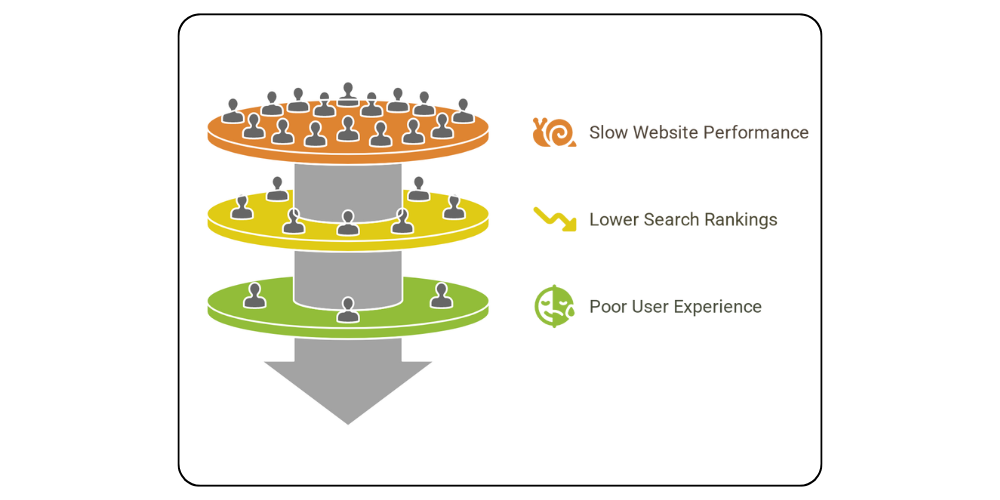
Neglecting security can severely jeopardize your SEO. Here are the potential consequences:
- Slow Website Performance: Malware and spam can significantly slow down your website, which deters users and raises concerns for Google’s algorithms.
- Lower Search Rankings: Google can remove your site from search results if it finds malware. Even if it doesn’t, a hacked or spammy-looking site will quickly lose trust and traffic.
- Poor User Experience: CAPTCHA can be annoying if used too much, but a hacked website is much worse. It’s important to keep both good performance and strong security.

How to Recover from a Website Security Breach
If your website gets hacked, don’t worry. You can fix it. Follow these steps:
1. Remove the malware using tools such as Sucuri or Wordfence.
2. Restore a clean backup of your website.
3. Conduct a comprehensive security audit.
4. Submit your site to Google Search Console for a re-evaluation.
5. Enhance your security measures to prevent future attacks.
This process helps you fix your website after a hack and improve SEO so you can get back lost rankings and win back user trust.
Balancing Website Security and SEO for the Best Results
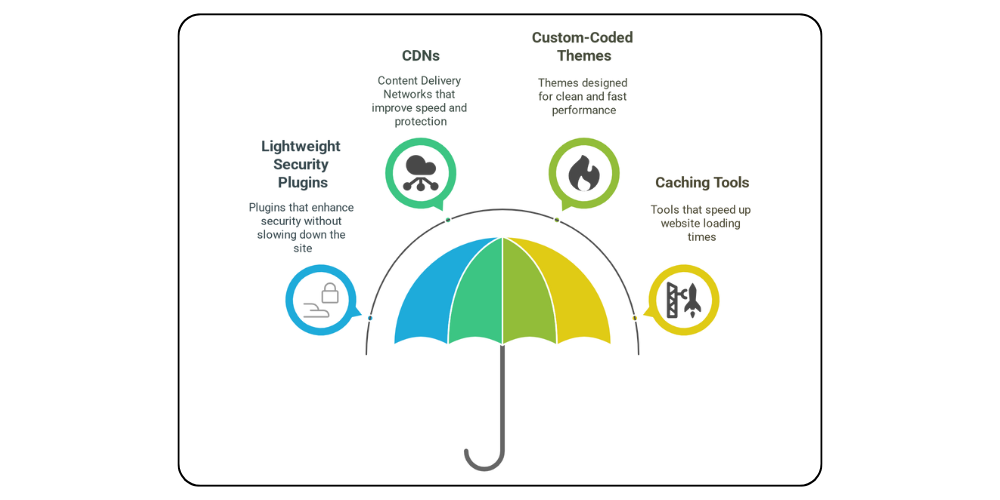
Good website security and SEO should work together. But security should not make the site hard to use. Here’s how we keep a balance between them:
- Use lightweight security plugins that don’t slow down your site.
- Use CDNs like Cloudflare for speed and protection.
- Build custom-coded themes for clean, fast performance.
- Use caching tools like WP Rocket or LiteSpeed.
We follow the best steps for website security while improving SEO, making sure the site is safe, updated, and very fast.
Conclusion: Why Website Security and SEO Must Work Together
If you want your business to grow online, you must focus on both website security and SEO because they are connected.
A safe website protects your data and your users’ data, and it also helps your search ranking.
By using HTTPS, strong passwords, and a good hosting company, you protect your reputation and get more visibility.
Make security important, don’t wait until your site is hacked or your ranking drops.
By implementing these best practices now, you’ll benefit both your SEO and your site’s long-term success.
For more information, visit Hostinger