In today’s fast-paced digital landscape, users demand websites that load instantly. A slow website not only frustrates visitors but also undermines search engine rankings and conversion rates.
Therefore, Website Speed Optimization is not just important; it is essential in 2025.
Regardless of whether you’re managing an e-commerce site, a blog, or a corporate website, prioritizing effective Website Speed Optimization is crucial to your success.
Here are 15 actionable tips to ensure you achieve successful Website Speed Optimization and significantly enhance your website’s performance.
1. Use a Lightweight and Responsive Theme

Choosing the right theme is essential for effective Website Speed Optimization.
Avoid heavy themes packed with unnecessary features and bloated code, as they will only slow down your site. Instead, select minimalist and mobile-optimized themes that enhance performance.
Do not settle for themes that overly rely on images and scripts. Always check the theme’s speed performance using tools like GTmetrix before installation.
A responsive theme is non-negotiable; it guarantees your site performs well across all devices, which is critical for improving both page load times and user experience key components of Website Speed Optimization.

2. Enable Browser Caching
Browser caching is an essential strategy for optimizing website speed.
It effectively stores static files like images, CSS, and JavaScript on users’ devices, improving loading times significantly.
You should leverage the .htaccess file for Apache servers to configure caching rules effectively. Set expiry headers for all static content to ensure optimal performance.
Additionally, plugins like W3 Total Cache for WordPress streamline this process, making it easier for you to implement.
By utilizing browser caching, you not only reduce server load but also enhance user experience through increased repeat visits, driving overall website performance to new heights.
3. Optimize Images Without Sacrificing Quality

Image optimization is essential for Website Speed Optimization. It’s crucial to compress images with tools such as TinyPNG, ImageOptim, or ShortPixel.
Always select the appropriate file format: WebP for modern browsers, JPEG for photographs, and PNG for graphics.
Resize images precisely to match display dimensions. Effective image compression is vital for enhancing both page speed and overall performance optimization.
4. Implement Lazy Loading for Images and Videos
Lazy loading is a fantastic technique for boosting your website’s speed! It holds off on loading images and videos until you actually scroll down to see them, making your site feel snappier and more efficient.
You can implement lazy loading using native methods (such as `loading=”lazy“`) or through plugins.
This technique should also be applied to embedded videos and iframes. By using lazy loading, you enhance mobile optimization, reduce bandwidth usage, and improve overall page speed.

5. Minify CSS, JavaScript, and HTML
Minifying files is an essential strategy for Website Speed Optimization. It effectively removes unnecessary characters and spaces from code files, leading to significant performance gains.
Utilize powerful tools such as Minifier, Autoptimize, or WP Rocket to streamline this process.
Additionally, combine CSS and JS files to significantly reduce HTTP requests.
This approach guarantees faster loading times and a marked improvement in overall website performance optimization.
6. Use a Content Delivery Network (CDN)

CDNs are an essential component of any effective Website Speed Optimization strategy.
Leading CDN providers such as Cloudflare, StackPath, and BunnyCDN strategically store content on global servers.
By serving data from the nearest server, they significantly reduce latency.
A CDN accelerates content delivery, particularly for users located far from your server, thereby dramatically enhancing global speed optimization.
7. Choose High-Performance Web Hosting
Reliable hosting is absolutely essential for achieving Website Speed Optimization.
If you have a high-traffic site, steer clear of shared hosting. Instead, opt for Managed WordPress or VPS hosting that features SSD storage, HTTP/3, and effective caching.
A high-quality hosting provider will dramatically enhance your website’s performance and guarantee fast page load times.

8. Reduce HTTP Requests
To improve your website’s speed, minimize the number of HTTP requests. Use image sprites for icons to cut load times.
Combine your CSS and JS files for quicker browser loading. Remove any unnecessary plugins, as every bit helps.
Lowering HTTP requests will make your site faster and more enjoyable for visitors and can improve your SEO. Make these changes now for a better website.
9. Enable GZIP Compression
GZIP is an essential method for Website Speed Optimization, effectively compressing files before they are sent to browsers.
You can turn it on by changing the server settings or by using plugins. Always test your implementation with tools like Check GZIP Compression.
Compressed files ensure quicker data transfer and significantly enhance website loading times. Don’t overlook this crucial step in improving your site’s performance!

10. Optimize Web Fonts

Web fonts decisively impact your site’s performance if not managed effectively. To ensure optimal Website Speed Optimization, prioritize using system fonts whenever possible.
Limit the variety of font weights and styles. Additionally, consider hosting fonts locally or utilizing efficient delivery methods through Google Fonts.
By using these strategies, you will greatly improve page load times and reduce rendering delays.
11. Clean Up Unused Plugins and Scripts
Too many plugins can seriously slow down your website. A streamlined website is crucial for optimal speed performance.
Regularly check for unused plugins and remove them immediately. Remove any plugins that serve the same purpose to avoid redundancy.
Utilize tools like Asset CleanUp or Perfmatters to effectively manage scripts.
Fewer scripts translate to faster load times and an overall boost in site performance. Make these changes now for a better website experience.
12. Use Asynchronous Loading for JavaScript
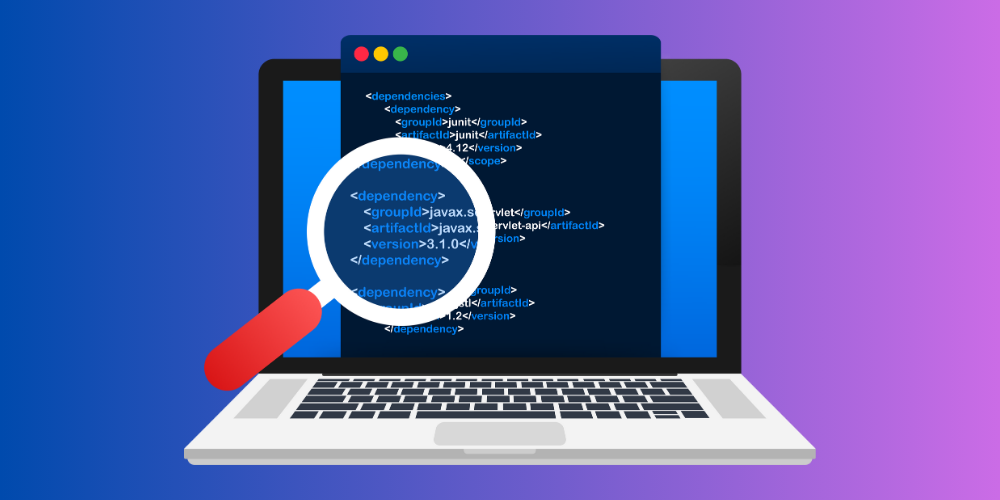
Synchronous loading is essential for Website Speed Optimization; it allows pages to load concurrently while scripts run in the background.
Always implement async or defer tags in your scripts to improve performance. Select plugins that automatically optimize script loading.
This approach effectively reduces render-blocking resources, ensuring faster website performance.
13. Monitor and Optimize Your Database
Database maintenance is critical for Website Speed Optimization. Utilize plugins such as WP- Optimize to eliminate unnecessary revisions and spam.
It’s imperative to schedule routine cleanups. A well-maintained database significantly reduces server load and guarantees fast response times.
14. Reduce Redirects
Redirects significantly hinder website performance. To achieve optimal Website Speed Optimization, it’s crucial to minimize them.
Use tools such as Ahrefs or Screaming Frog to identify and resolve redirect chains effectively.
Limiting redirects, particularly on essential landing pages, is non-negotiable. This method simplifies the user experience and enhances SEO performance.
15. Use Speed Testing Tools and Monitor Regularly
Ongoing measurement is essential for effective Website Speed Optimization. Utilize tools such as PageSpeed Insights, GTmetrix, and Pingdom to assess performance.
It’s crucial to track improvements consistently over time. By utilizing monitoring tools, you can ensure that your Website Speed Optimization remains strong and continues to improve.
Final Thoughts: Make Speed Optimization a Priority
Make Website Speed Optimization a Priority. With fierce online competition, every second counts. Even a slight delay in loading can cost you conversions and visitors.
You can improve your website’s speed by following these 15 tips.
From optimized images to quality hosting, each component of Website Speed Optimization plays a critical role.
It’s not a one-time task; it’s a continuous process that ensures your website stays fast, efficient, and user-friendly.
Key Takeaways
- Website Speed Optimization improves user experience, SEO, and conversion rates.
- Optimize images, use a CDN, and minimize unnecessary plugins and scripts.
- Monitor performance using tools like Google PageSpeed Insights and GTmetrix.
- Keep your website lean, fast, and responsive across all devices.
Make Website Speed Optimization your ongoing commitment to long-term website success.